
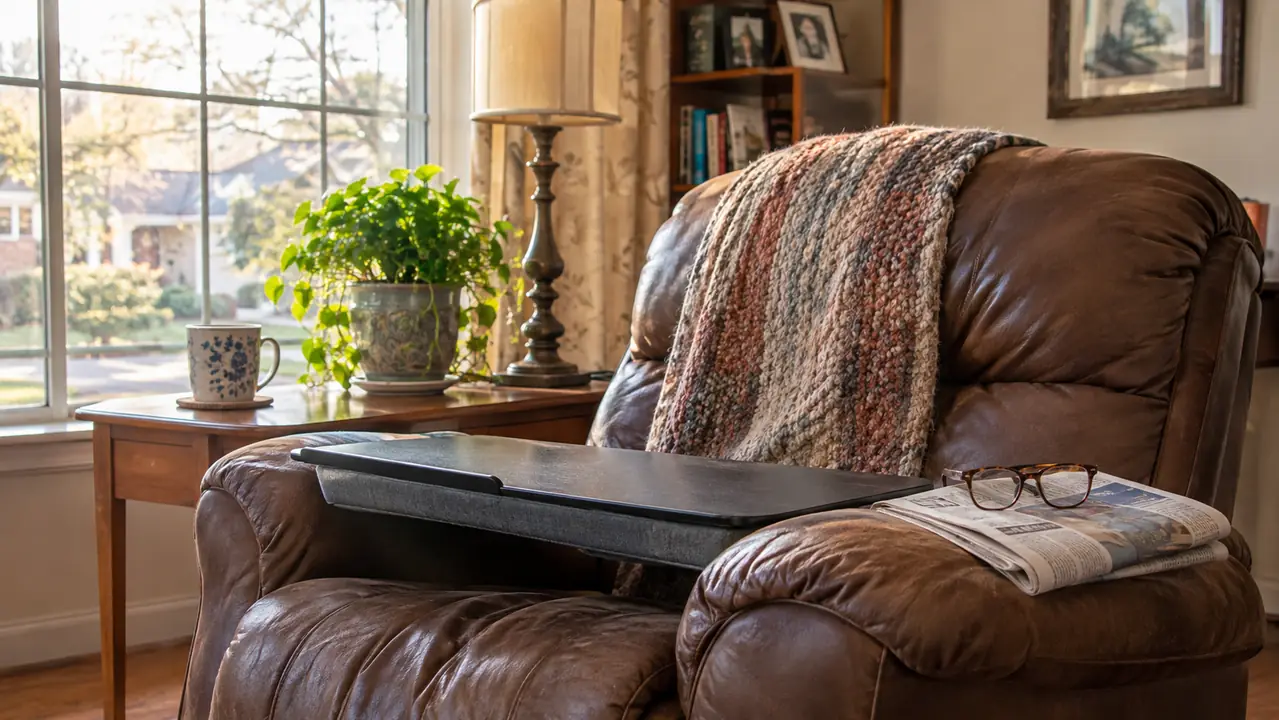
The first week I had a lap desk, I used it wrong. I laid it across the armrests of my lift chair, tipped it toward me the way you would a school desk, and set my tablet on top. Twenty minutes later my neck was complaining and the tablet had slid down to my knees. The desk was not the problem. The way I had propped it was.
I am 72 and I live in Gastonia, North Carolina. Most of my sitting happens in one chair by the front window, and since May 2026 that chair has had a LapGear Home Office Lap Desk in the rotation. It holds my tablet for the morning paper, my crossword book, and the birthday cards I still send by mail. What follows is the setup I landed on after a few weeks of fussing with it. Nothing here is complicated. It is just the order of operations, which is the part nobody tells you.
A lap desk on a reclining lap is a balancing act. Five minutes of setup settles it.
The LapGear Home Office Lap Desk measures 21.1 inches wide and 12 inches deep, with a dual bolster cushion underneath that rests on your lap and a built in ledge at the front that stops a tablet from sliding forward. It weighs 2.1 pounds.
Amazon Check Today's Price on Amazon →Before You Start: Three Things to Check
Before the desk comes out of the closet, do three checks. They take about five minutes between them and they save a lot of shifting around later.
First, decide what the desk is for. Mine is for a tablet, a crossword book, and stationery. That matters because it tells you how much of the surface you actually need. The LapGear is 21.1 inches wide and 12 inches deep, which is more room than a crossword puzzle needs and about right for a tablet propped up with a pen and a cup beside it. If you are using a laptop, the listing says it fits most laptops up to 15.6 inches.
Second, look at your lap, not the desk. In a recliner your thighs slope. When the footrest goes up, your knees rise and your lap turns into a ramp. A hard flat top on a soft cushion will follow that ramp unless you set the chair first. So the chair position comes before the desk position, every single time.
Third, check your reach. Whatever you set on the desk, you should be able to touch without leaning forward. If you have to lean, the desk is too far away or the chair is tipped too far back.
The Setup, Step by Step
Step 1: Set the chair before you set the desk
Sit down with nothing in your lap and use the hand remote to find your working position. On my chair that means the back a couple of notches back from straight up, and the footrest out but not all the way flat. Every chair is different, so the goal is not a specific notch. The goal is a position where your back is supported, your thighs are roughly level, and your feet are not dangling.
That last part matters more than people think. If your feet hang, your whole body slides forward over the course of an hour and the desk goes with it. On my chair, with the footrest at the middle setting, my feet rest flat on the floor. When I push the footrest all the way out for a nap, my heels lift, and that is not a desk position. That is a nap position, and the desk comes off first.
The hand remote is the other thing to sort out here. Mine used to lie across the armrest and get caught under the desk. Now it lives in the side pocket of the chair. I take it out, set the chair, and put it back before the desk goes on my lap. Small thing. It stopped me from yanking a cord every time I shifted.
Step 2: Put the cushion on your thighs, not your knees
The LapGear has a dual bolster cushion underneath. Two padded bolsters, one on each side, with the flat surface sitting on top of them. Those bolsters are what keep the desk from digging into your legs, and where you put them changes everything.
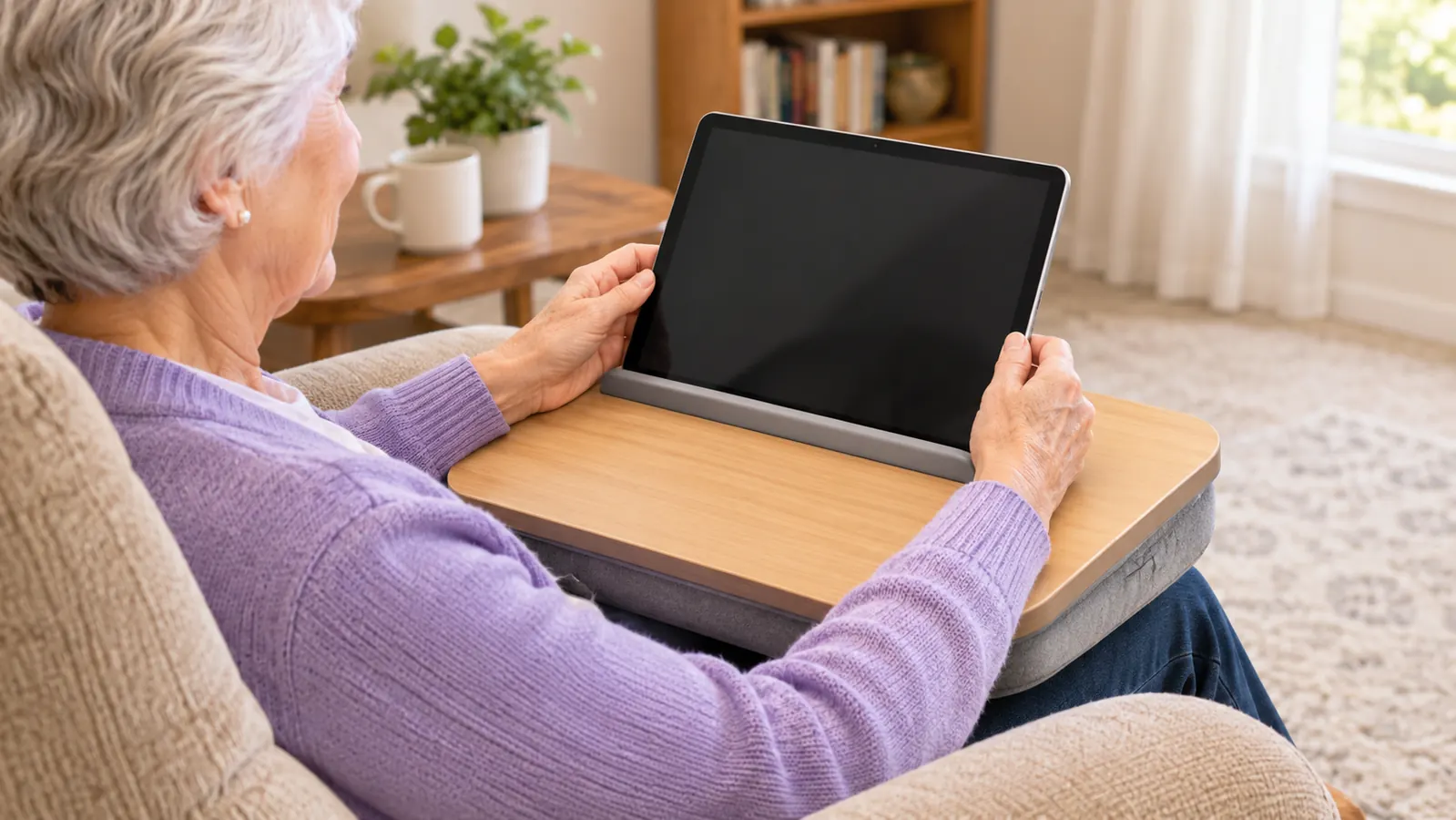
Set the desk so the bolsters rest across the middle of your thighs, an inch or two back from your knees. If you push it out toward your knees, the desk tips forward the moment you press on the far edge and everything slides at you. If you pull it back too far, it presses into your stomach and you end up sitting bolt upright to get away from it. Middle of the thighs is the spot. It took me three tries to believe that, because the desk looks like it should sit farther out.
One more thing about the cushion. It is a cushion, not a clamp. It holds by weight and friction, which means the more of your own weight you let settle on it, the steadier it is. Do not hold the desk up with your hands while you use it. Let it rest.
Step 3: Level the top and use the front ledge
Once the desk is on your thighs, put one hand on each side and tilt it until the top is level with the floor, not level with your eyes. This is the part I got wrong at first. I had the desk angled up toward my face so I could read without my glasses sliding down, and that angle is what made my neck hurt. A flat surface plus a tablet propped on the front ledge gives you a better angle than a tilted desk ever will.
That front ledge is the built in strip along the near edge that stops things sliding off. Set your tablet or your book against it instead of laying it flat. Leaning against the ledge holds the screen up at a readable angle and keeps it from creeping toward your stomach every time you turn a page.
There is a phone slot on the surface too, and it holds a phone upright. Mine sits there during video calls with my daughter Karen in Belmont. I have never used the mouse pad area for a mouse, because I do not own a laptop, but it is a slightly different patch of the surface and it keeps a pen from rolling off onto the carpet.
Step 4: Load the desk before you settle, not after
This is the step people skip, and it is why the whole setup can feel fussy. Everything you need should go on the desk, or within arm's reach, before you let yourself get comfortable. Once you are settled behind a desk, reaching sideways becomes a project.
My order is tablet on the ledge, crossword book and pen on the left, phone in the slot, glasses on my face. Then the armrest caddy on the right arm of the chair gets the TV remote and the case for my reading glasses. The chair's own hand remote stays in the side pocket where it belongs. Only after all of that do I let my shoulders drop.
If you take a hot drink into the chair, set it on a side table, not on the desk. The desk is 2.1 pounds of surface balanced on two cushions, and it will move when you move. I spilled coffee on the arm of my chair in its first month, before the desk ever arrived, and I have been careful about cups in the chair ever since.
Step 5: Plan how you will stand up before you get comfortable
I saved this for last on purpose, because it matters most if you use a lift chair. A lap desk turns your lap into a shelf. A shelf is exactly what you do not want in the way when the chair starts to lift you.
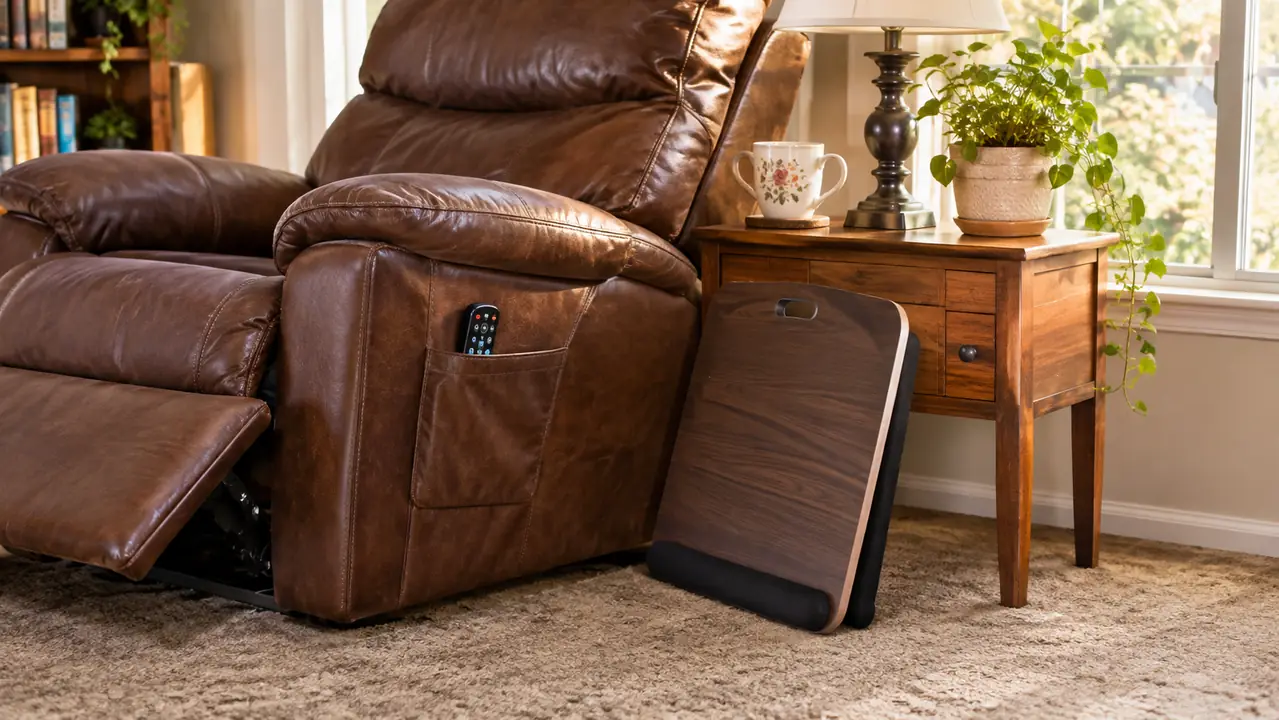
My rule is simple. Before I touch the remote, the desk goes on the floor beside the chair, standing on its edge, with nothing on it. Then the remote comes out of the pocket. Then I lift. The desk is 2.1 pounds and easy to move with one hand, but only if I decide to move it before I am halfway up. Trying to sort it out on the way is how things get knocked over.
If you have a spot for it, keep it there permanently. Mine lives on the floor between the chair and the end table when it is not in use, out of the walking path and close enough that I do not have to bend for it. Bending over the side of a recliner to fish a desk off the carpet is not something I want to do twice in a morning.
It weighs 2.1 pounds. That sounds like nothing until the chair starts to lift and the desk is still sitting on your lap. Now it goes on the floor first, every single time.
What Else Helps
A few small things made the desk easier to live with, and none of them came in the box.
A cushion behind you changes the angle you sit at, and the angle you sit at changes how the desk rests. When I read upright for an hour, the small of my back leaves a gap against the chair. I put a lumbar pillow in that gap. When I lean back the gap closes and the pillow comes out. If your chair leaves that gap too, fill it. A throw pillow from the couch will do most of the same job. I used one for a few weeks before I bought a proper one.
A place for the remote and the glasses saves you setting them on the desk itself. I use an armrest caddy hanging over the right arm of the chair. It holds the TV remote, my reading glasses, a pen, and my phone. It slides a little if I lean hard on the arm, which is annoying, but it beats feeling around the floor with a desk on my lap.
And a light. This is the one I would tell anyone to sort out before they buy a desk. A tablet at eight in the evening in a room lit by one lamp is hard on the eyes, and a person with a lap desk will tilt the desk toward the light long before they will get up and turn on another lamp. I moved a floor lamp to the corner by the window and stopped doing that.
I also kept a metal folding TV tray beside the chair for years, and it is still in the hall closet. The difference between the two is simple. A tray sits at a fixed height and you have to reach forward to it. A lap desk comes to your lap. That is the whole advantage, and it disappears the moment you set the desk too far out and start reaching anyway.
If It Still Feels Wrong After All That
Three things go wrong with a lap desk in a recliner, and all three are position rather than product.
If the desk keeps sliding toward you, the chair is tipped too far back. Your thighs are on a downhill slope and gravity wins. Bring the back up a notch. If it slides away from you, the footrest is too high. If your neck hurts, the desk is tilted toward your face, or the tablet is lying flat instead of leaning on the ledge.
And if all of that is right and it is still uncomfortable after twenty minutes, the honest answer may be that a lap desk is not the right tool for how you sit. It is not for everyone. It is a board with a cushion underneath, not a piece of medical equipment, and I would not want you to think otherwise. If long stretches of sitting leave you sore or stiff, that is a conversation for your doctor or a physical or occupational therapist, not for a desk, and it is worth having before you spend money on anything.
One board, two cushions, and a front ledge. The rest is just sitting down in the right order.
The LapGear Home Office Lap Desk measures 21.1 inches wide by 12 inches deep, fits most laptops up to 15.6 inches, and carries a 90 day workmanship warranty. Mine has been on my lap for six months and it still does the one job I bought it for.
Amazon See the LapGear Home Office Lap Desk on Amazon →